
How to Use Sandata EVV
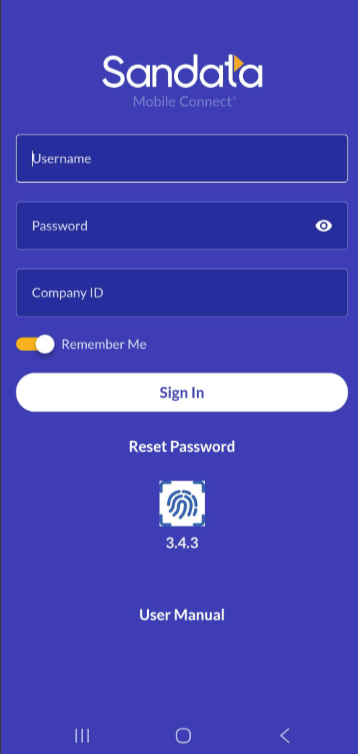
Download the Sandata Mobile Connect app.
Use your Sandata ID given from the Agency to login
Search for the patient, click start time in and end time to complete EVV.
How To Video
Sandata Call In Method:
If you are unable to login through the app, you may CALL to clock in/out: 844-822-1689
For Medicaid patients only!
You will need your own individual Sandata call-in number to confirm EVV, see instructions below.
Electronic Visit Verification Calling Instructions
Employee name: ______________
Santrax ID:__________
Client Name:_______
ID:_______________
Calling IN (To begin EVV)
Dial 844-822-1689
For English press 1, for Spanish press 2
When prompted enter your Santrax ID (above)
Santrax will say “Is this a group visit?, press 1 for Yes, 2 for No. You always press 2. We do not have group visits.
Santrax will say “ Select 1 for call in, 2- for call out”
Press 1 to CALL IN
Santrax will say “Received at (Time). Please enter first client ID or hang up as done” – Enter client ID (above), do not hang up
Santrax will say “Please enter second client ID or hang up as done”
Hang up.
Calling OUT (To end EVV)
Follow steps 1-5 above
Press 2 to CALL OUT
Santrax will say “Received at (Time). Please enter first client ID or hang up as done” – Enter client ID (above), do not hang up
Santrax will say “Please enter services ID”.
Enter 119 = PT; 120 = OT; 121 = STSantrax will say “Your entered (service). Please press (1) to accept (2) to retry
Santrax will say “Enter number of tasks”
Always press (0) for number of tasks
Santrax will say “You entered (number of tasks). Please enter second client ID or hang up as done”
Hang up.
