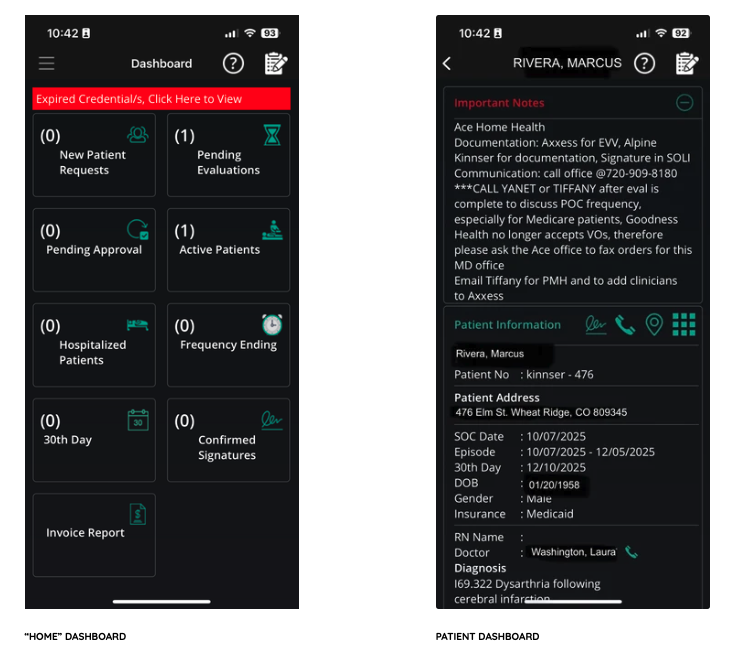
What is SOLI?
SOLI is the app ATS utilizes to keep track of all patients and HR credentials (Please note: This is formally known as ZUUM). It is where you will:
- Upload Credentials
- View Patient Requests and pick up new patients
- View Pending Evaluations
- View Active Patients
- View Patient Chart: Phone #, Address, Doctor Info, Documentation Info
- Integrated with Google maps to directly bring you to Pt address
- Keep track of patients who have been hospitalized
- Keep track of important dates: “frequency ending” and “30th day” by inputting your freq in the app after evaluation
- Get Signatures during Patient Visits
- Complete Offline Signatures and Discharge from the SOLI app once the POC has been met
***Please note, SOLI is formally known as ZUUM. If you see ZUUM referenced, please know it is now called SOLI.
Helpful How-To’s
Create PIN for easy, quick login
2. Edit Profile & Update Service Area
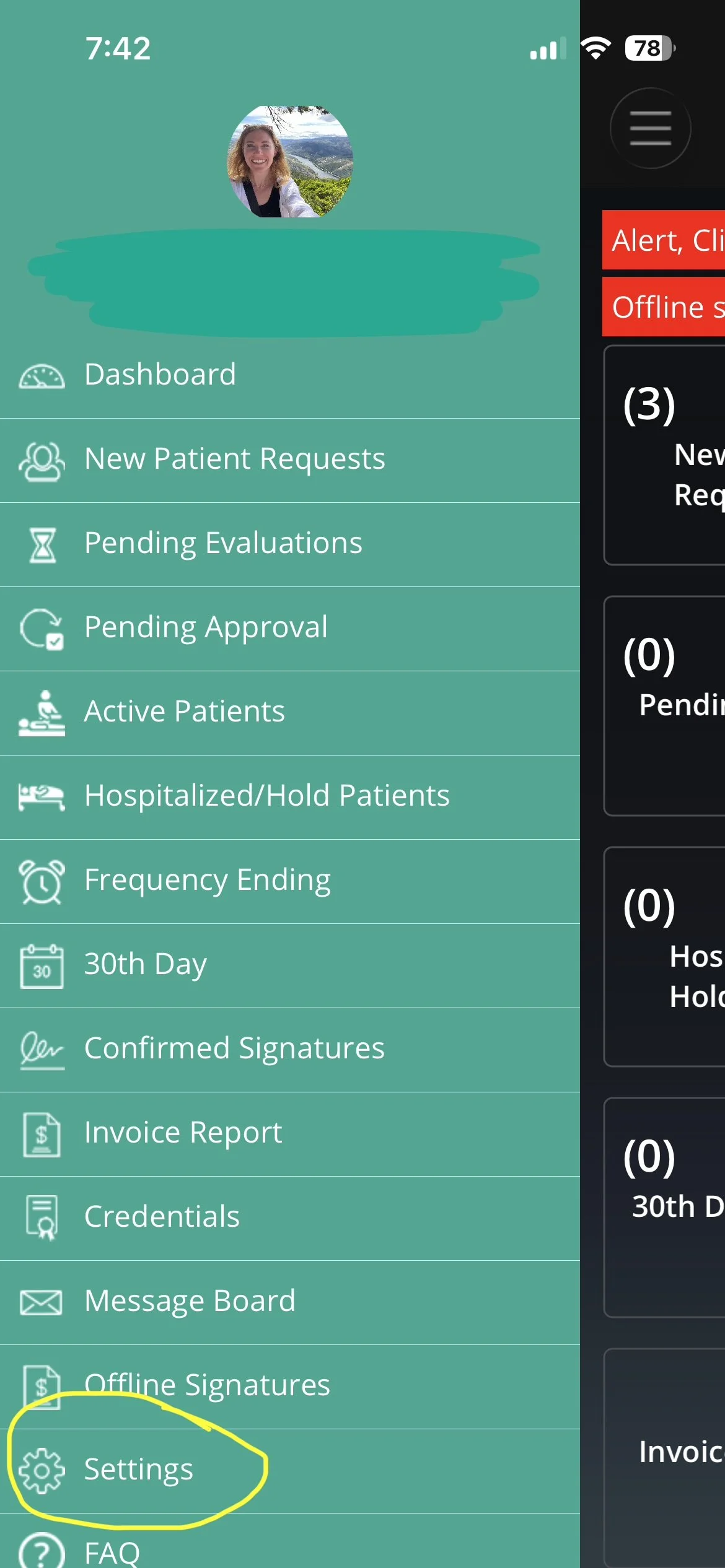
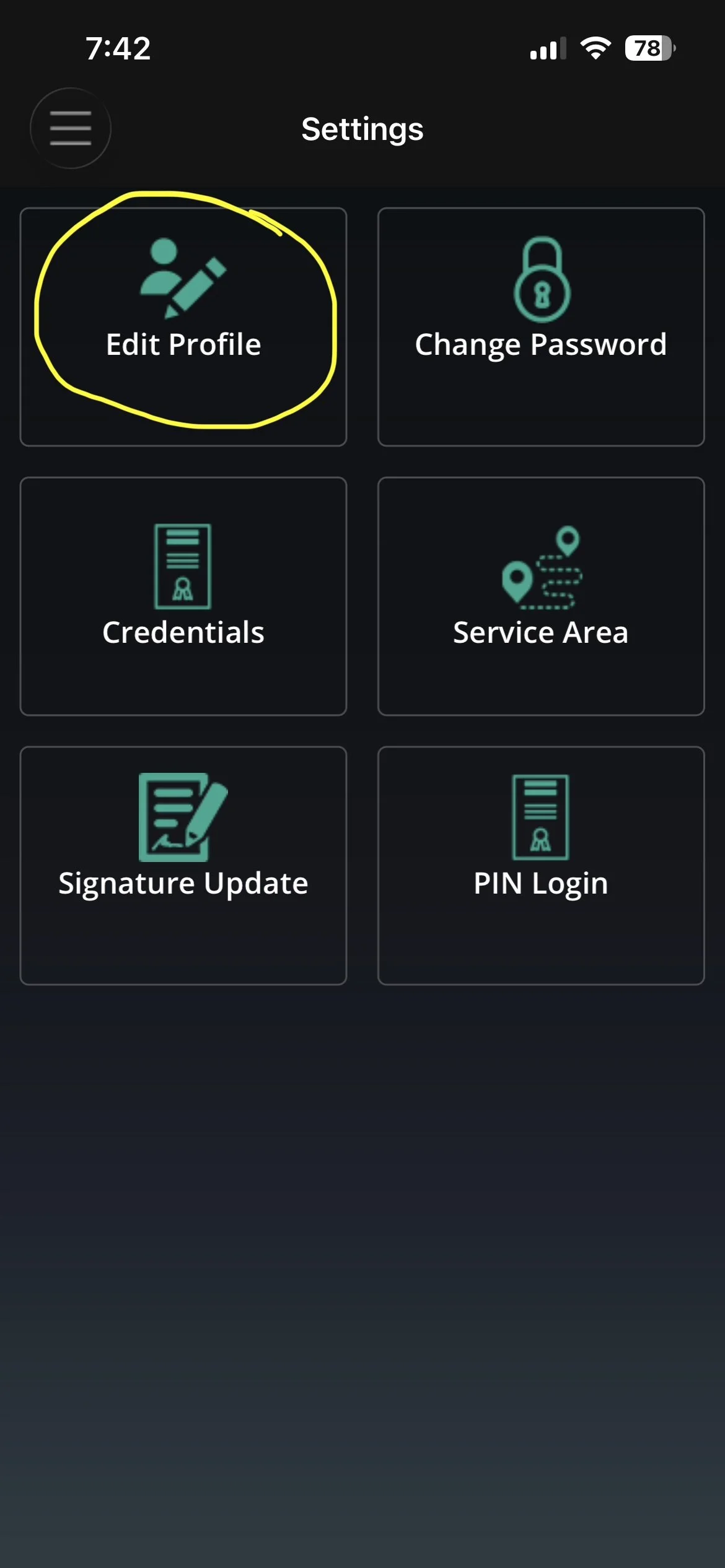
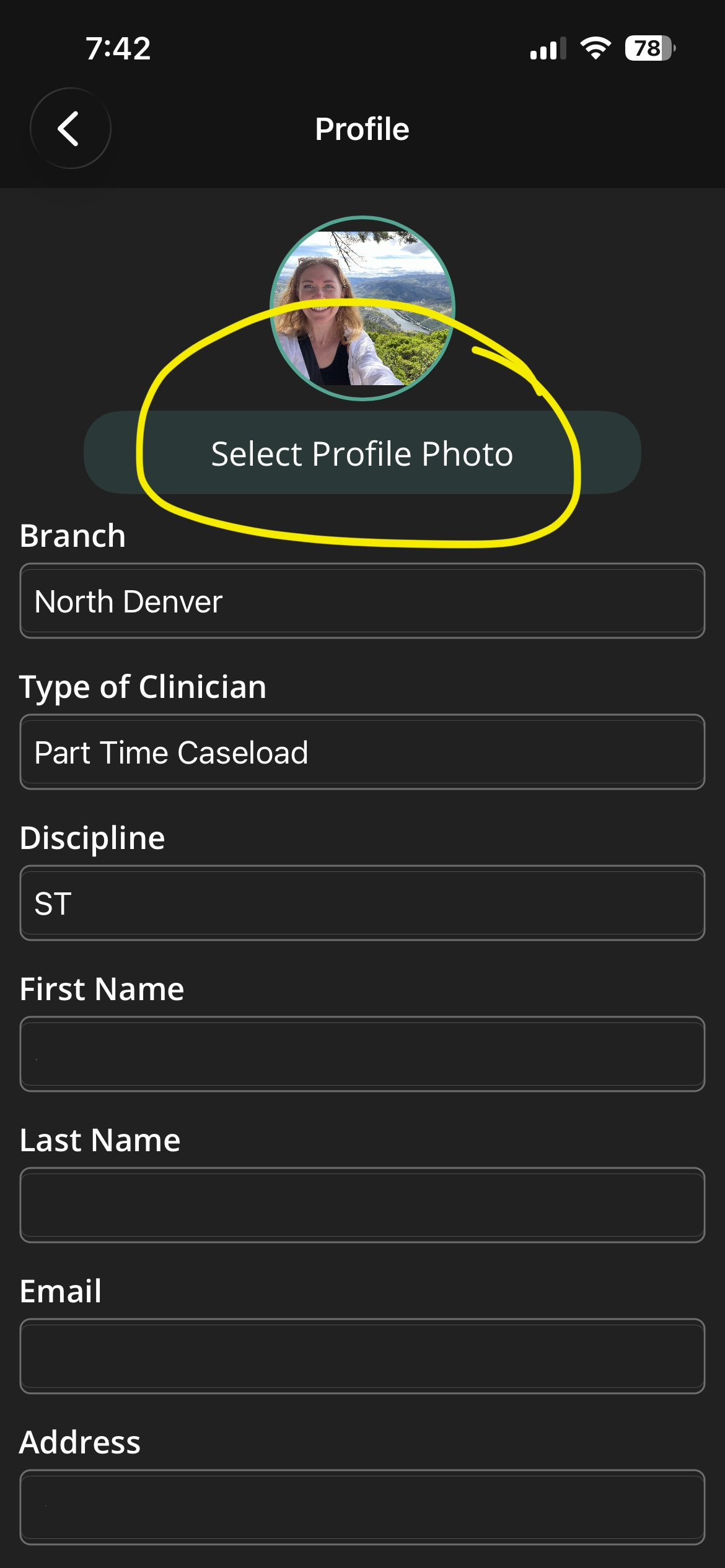
Please ensure all information is correct and that you have an appropriate profile photo uploaded.
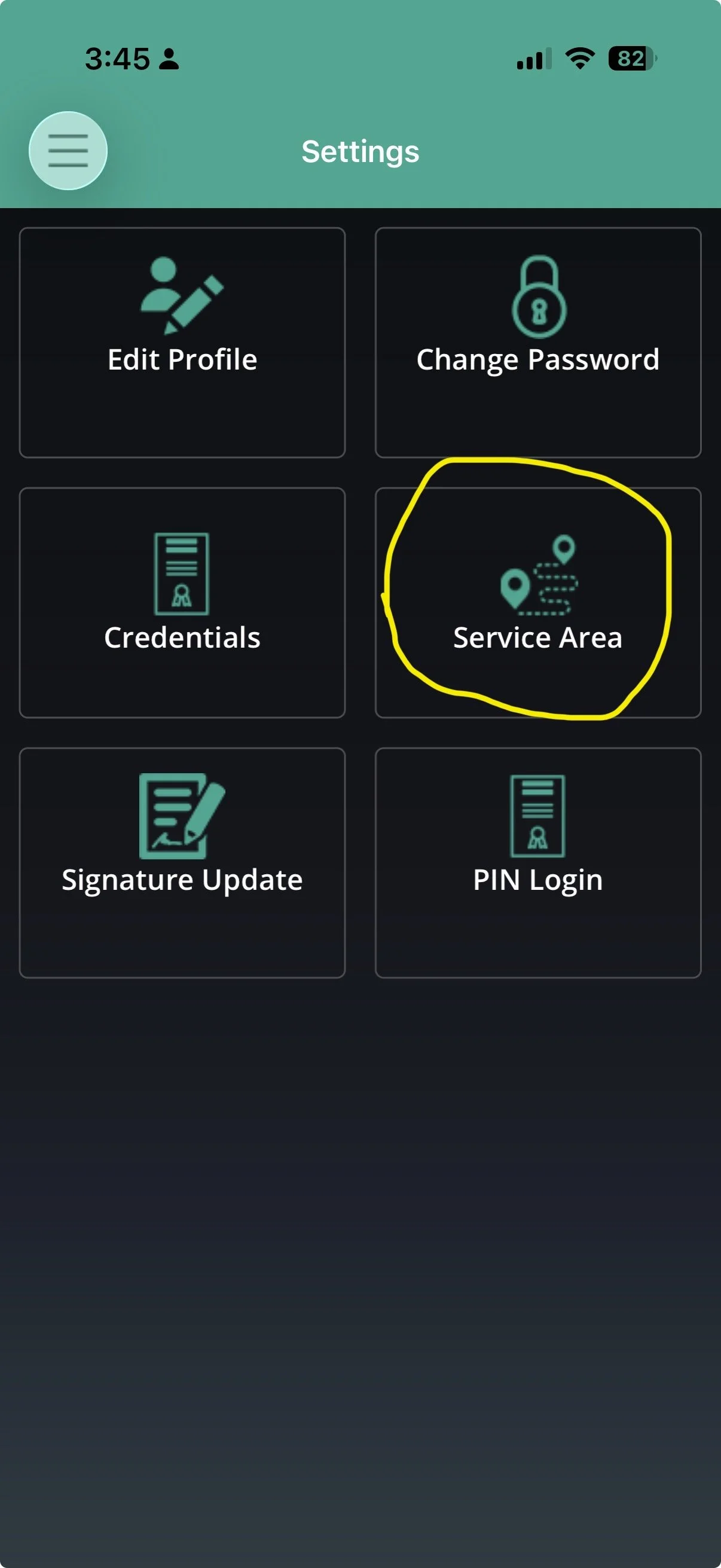
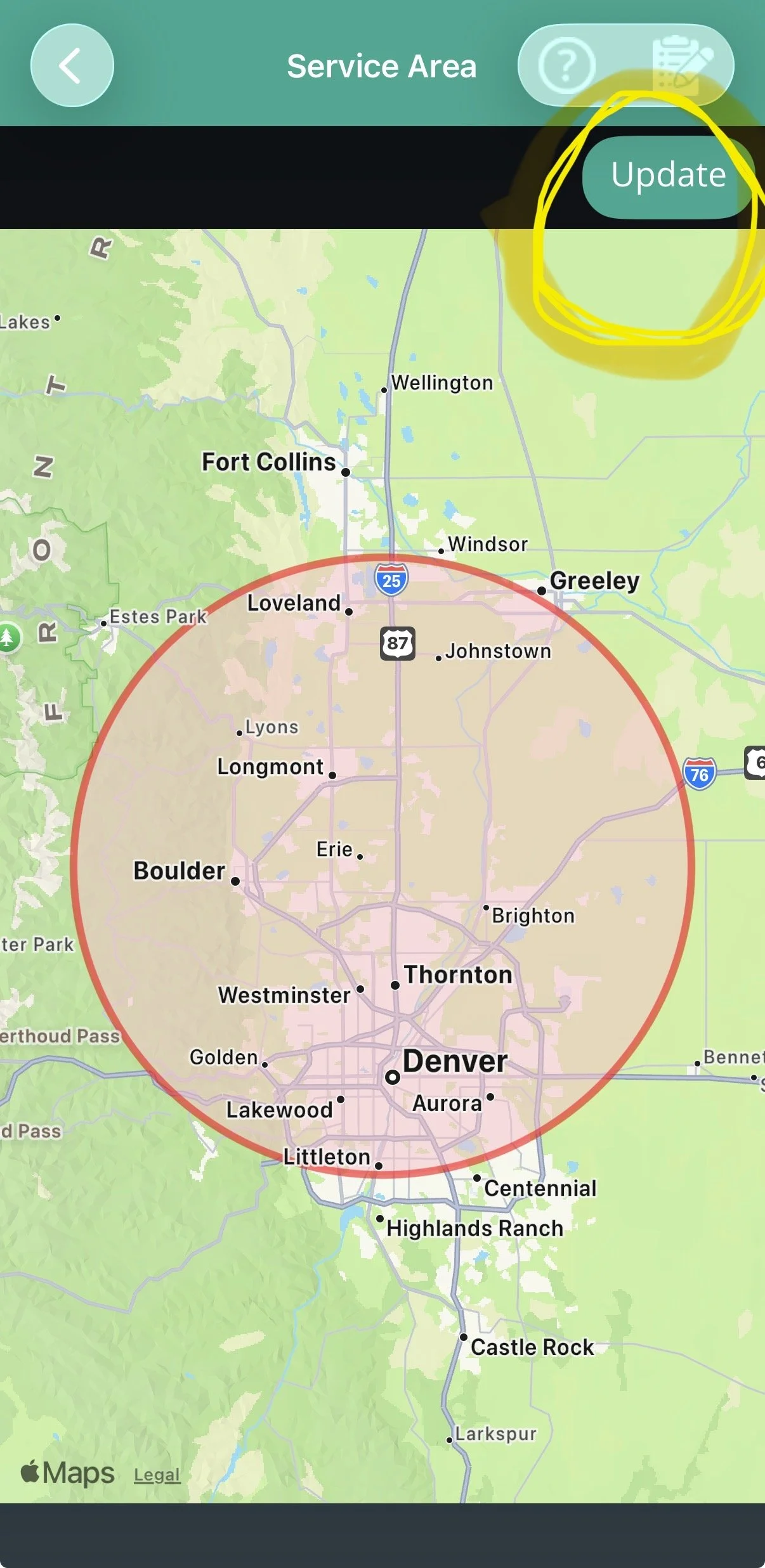
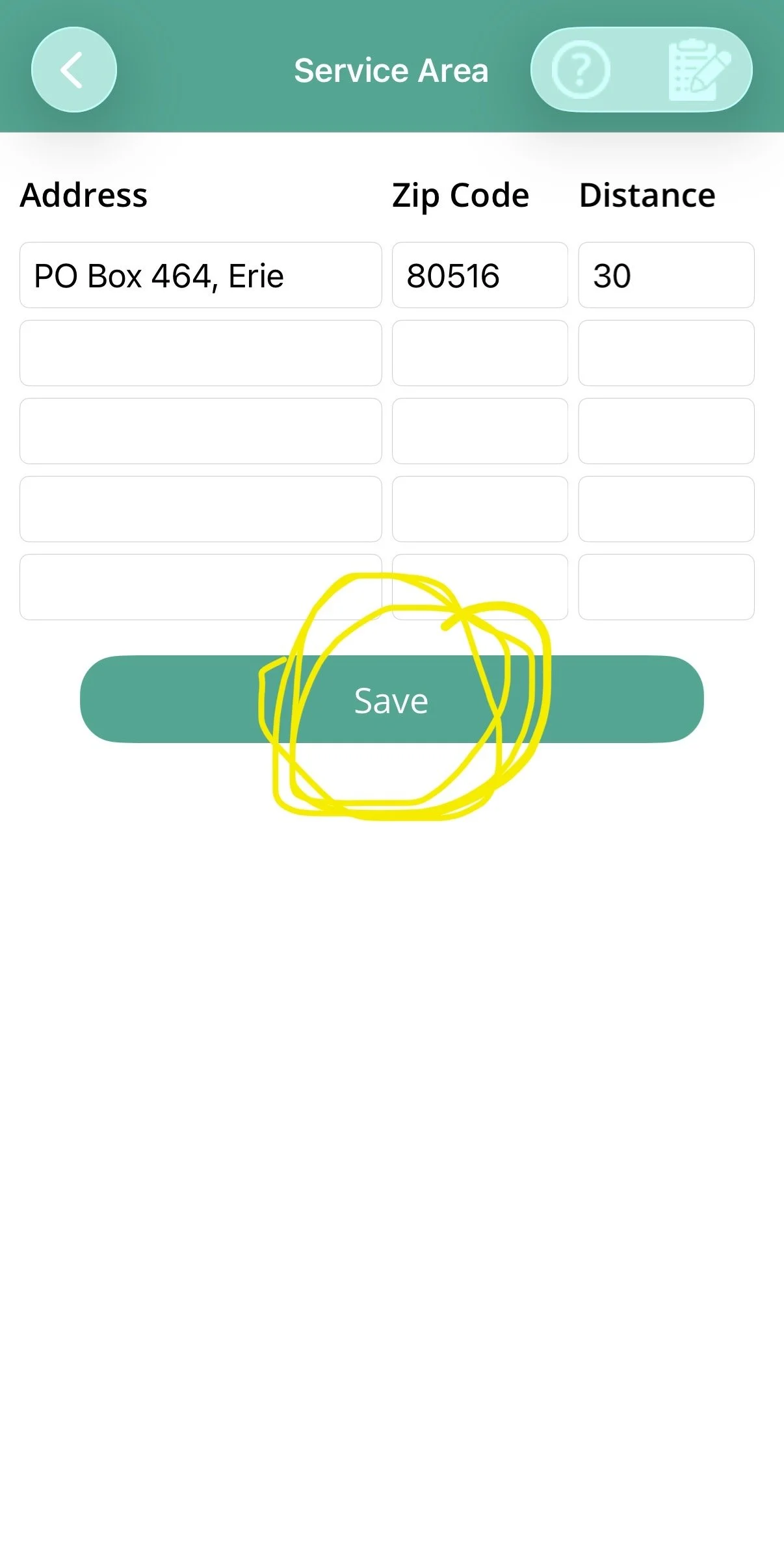
We always recommend starting with a 30 mile radius
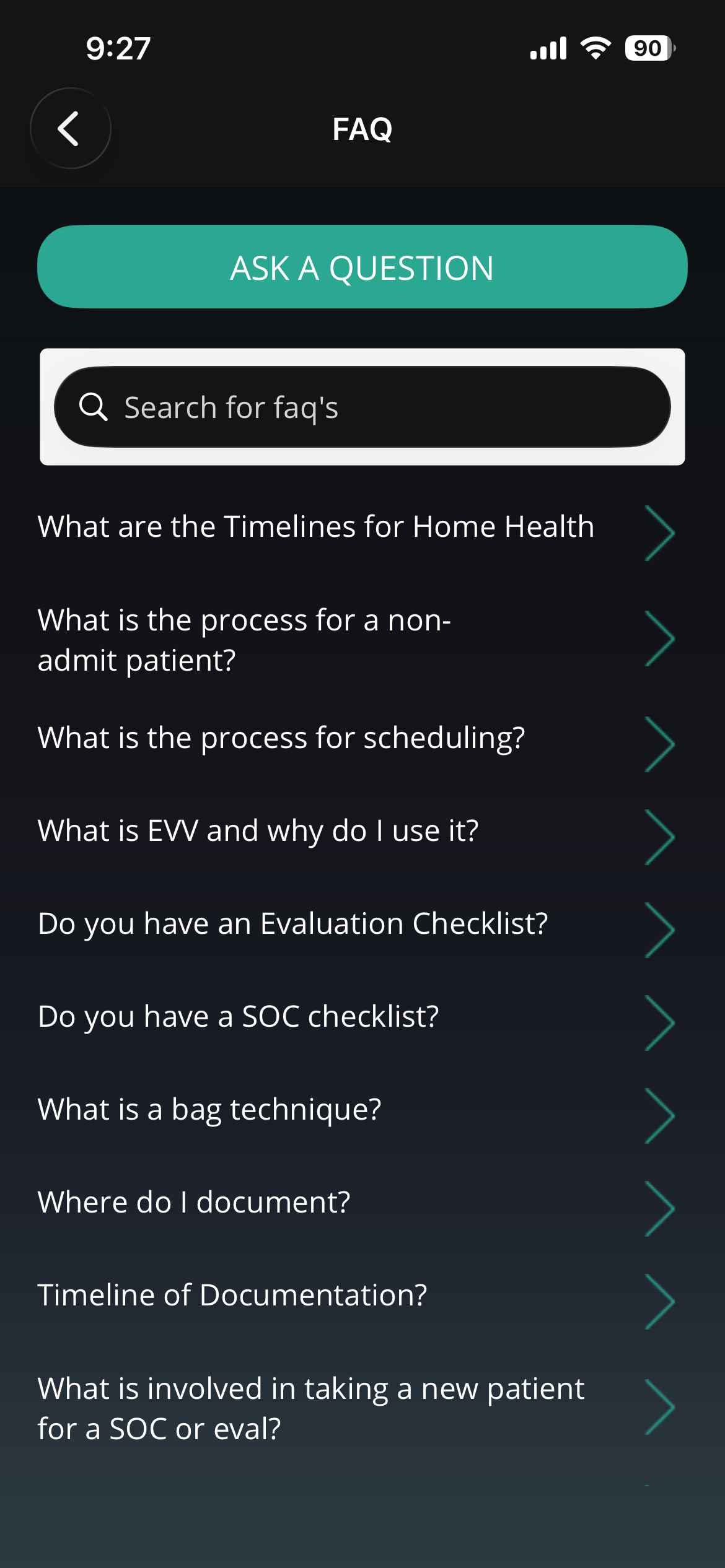
3. FAQ section
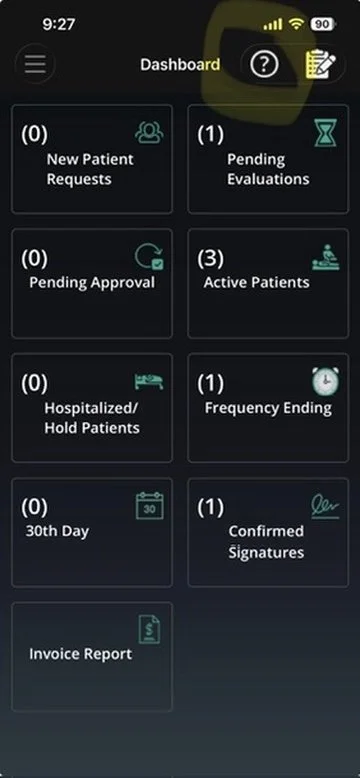
Click on the question mark icon in the top right corner
4. Accepting new patients
Reminder: Please include the date of the week you plan to evaluate if outside of SOC 5-day window.
5. Editing existing patients
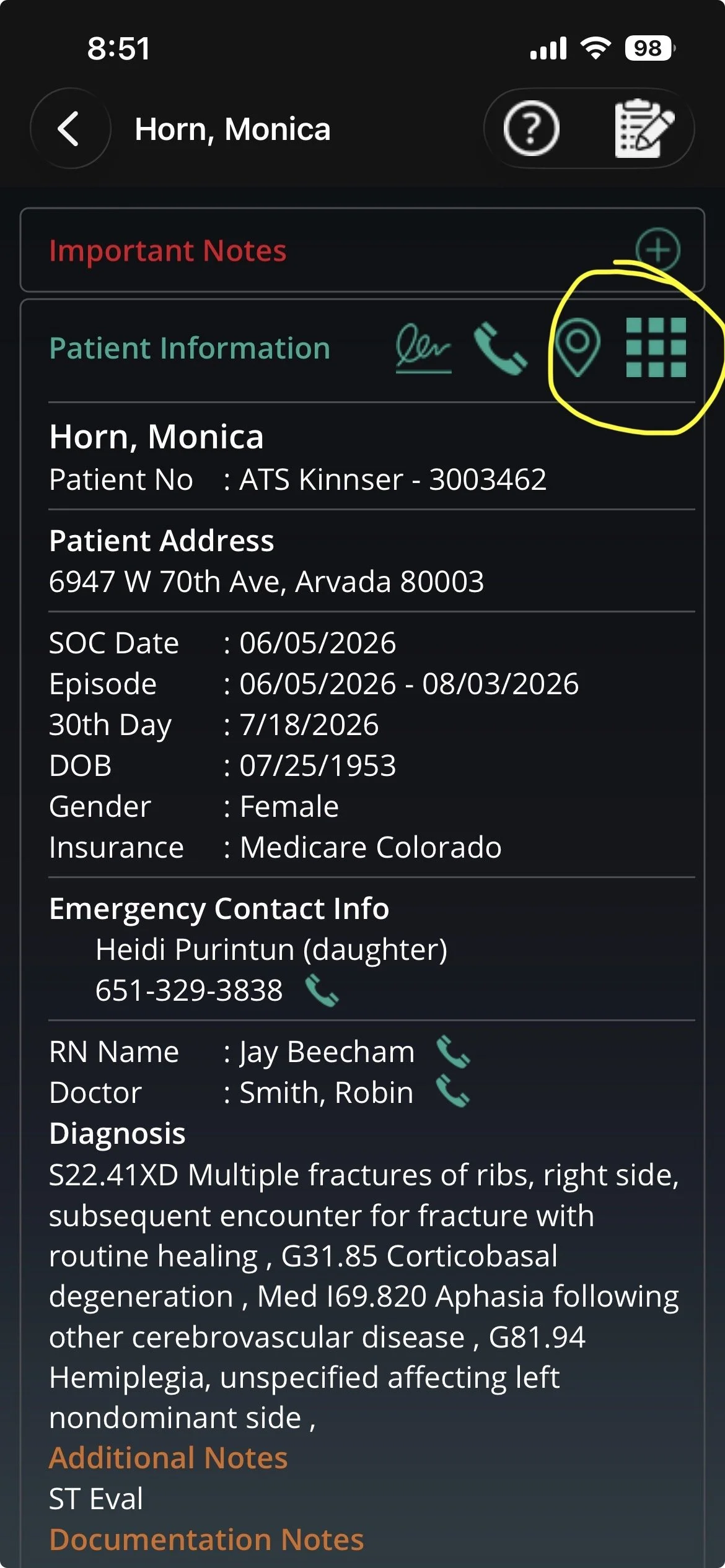
go to the patient’s chart and click the icon with multiple squares
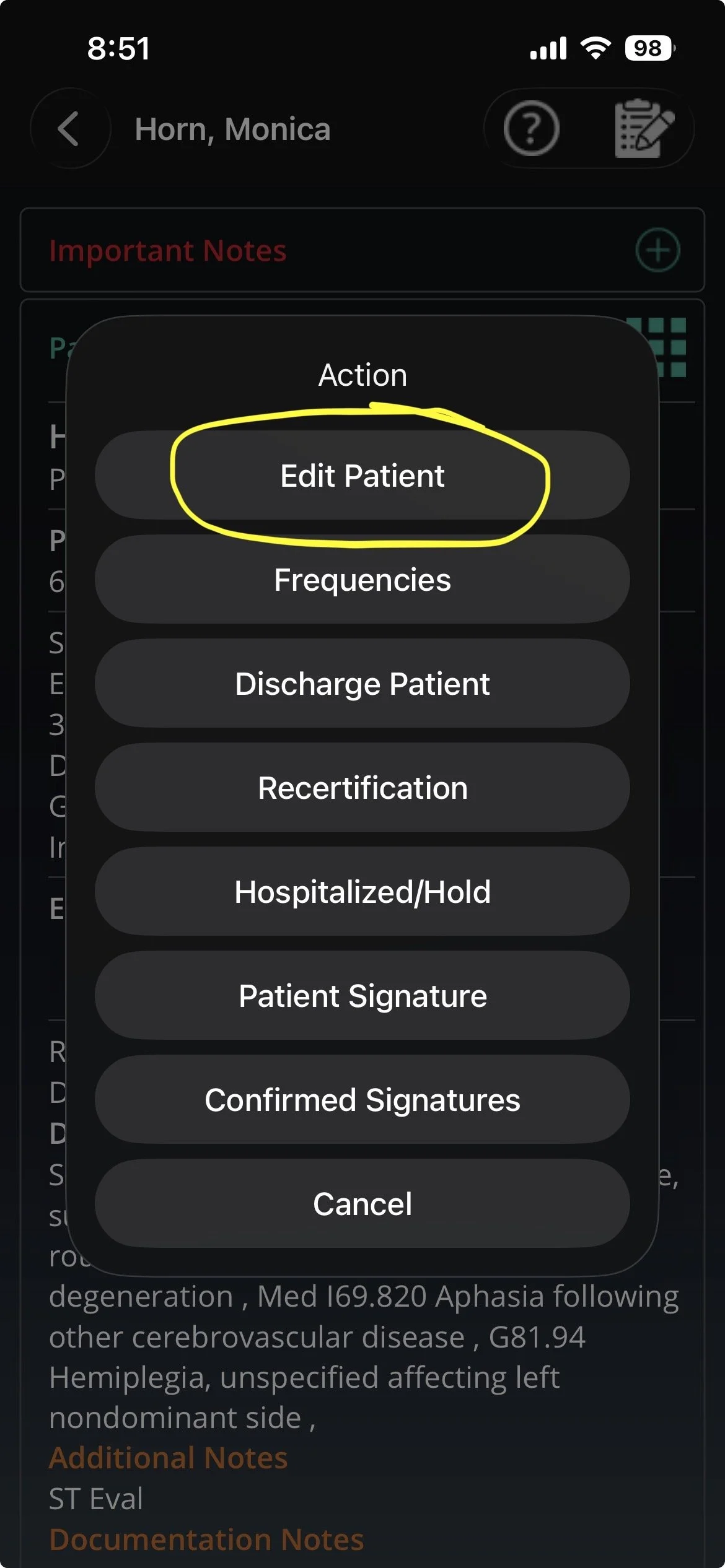
SELECT EDIT PATIENT
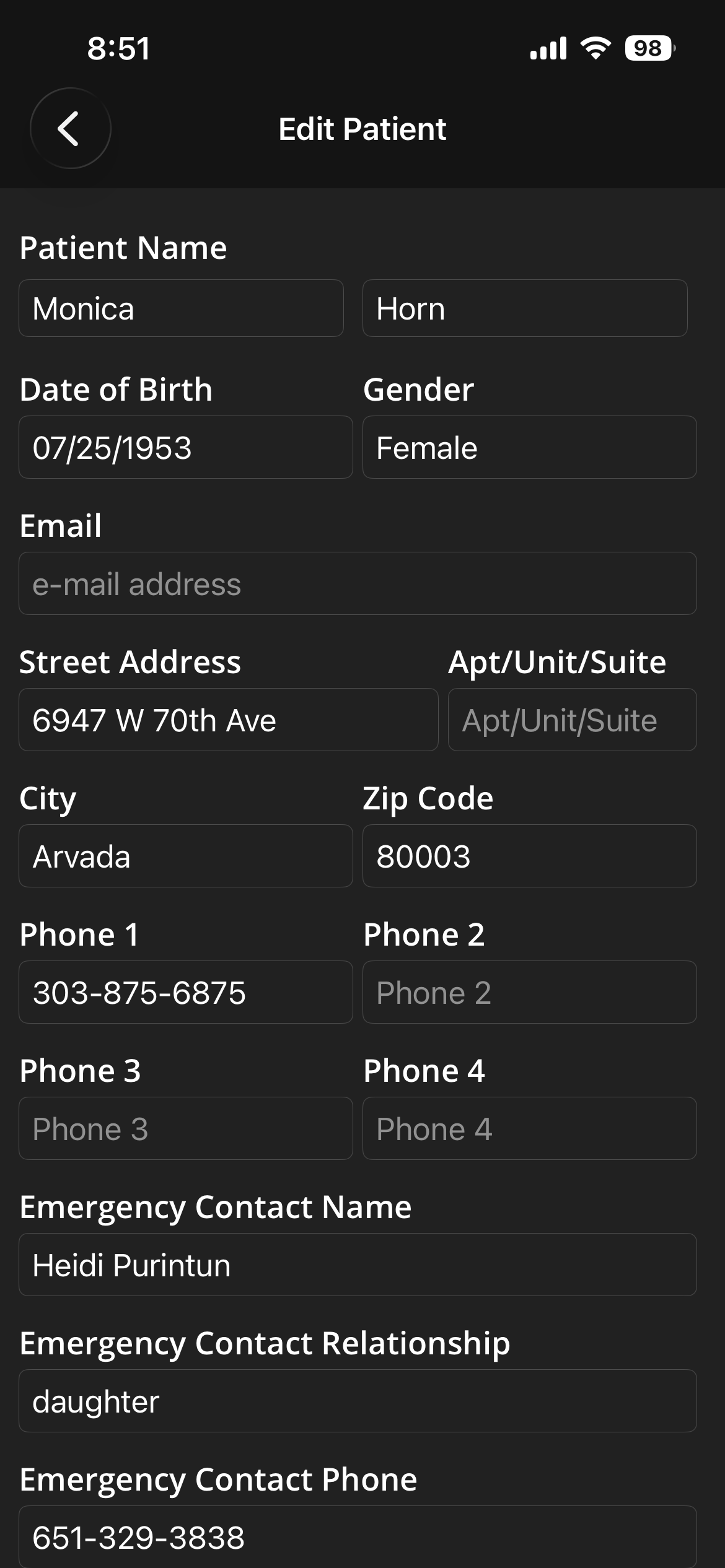
SELECT AND EDIT FIELD
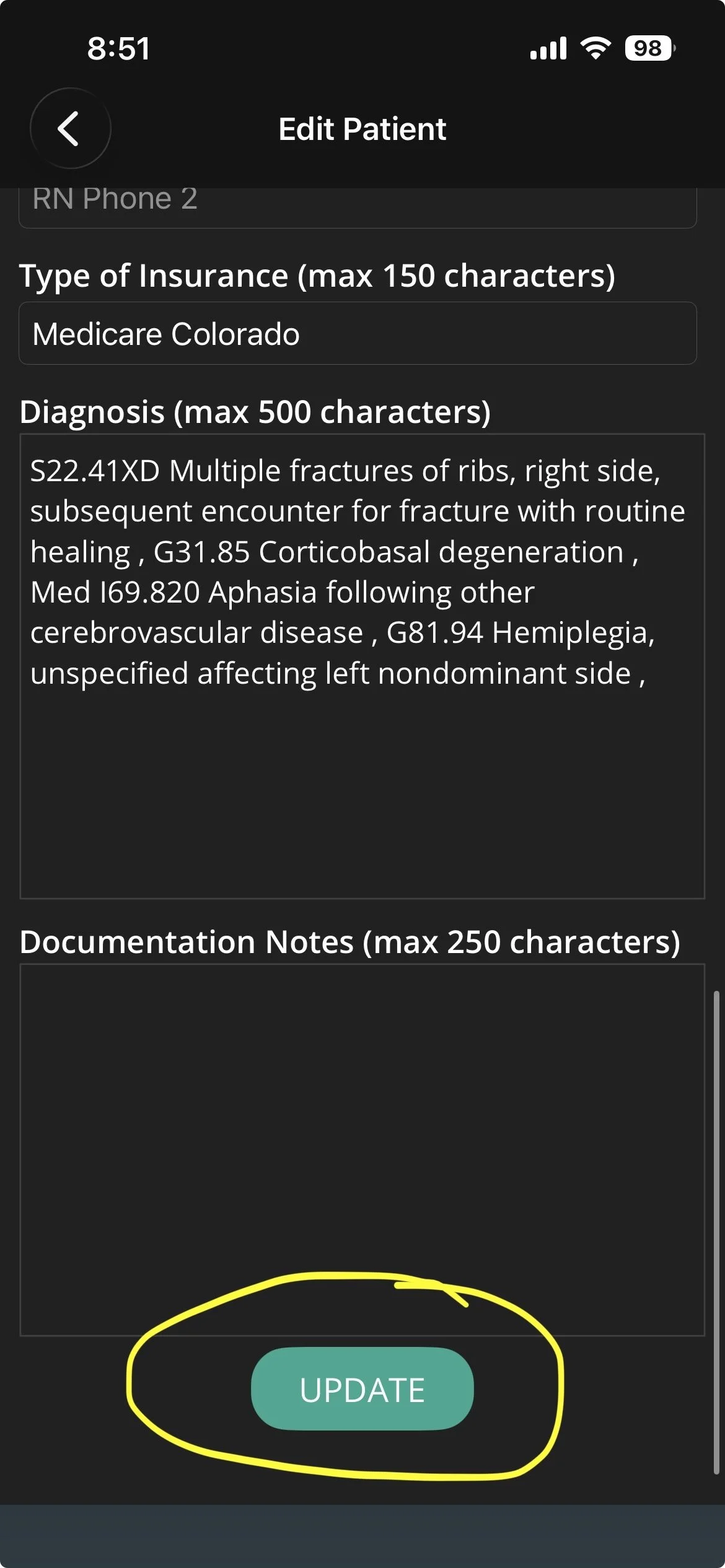
SCROLL TO BOTTOM AND CLICK UPATE TO SAVE CHANGES
6. Patient Profile: Important Notes
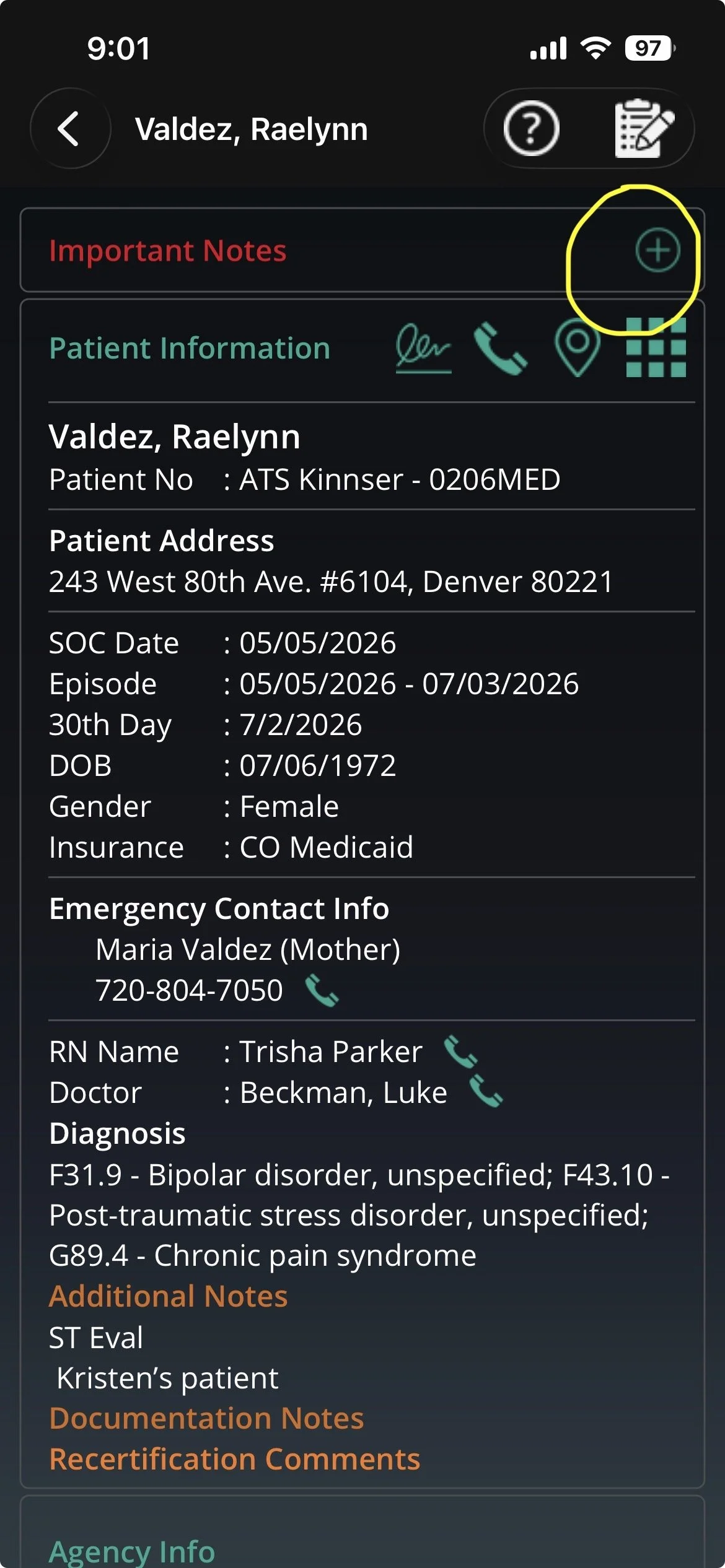
CLICK THE PLUS ICON TO EXPAND INFO
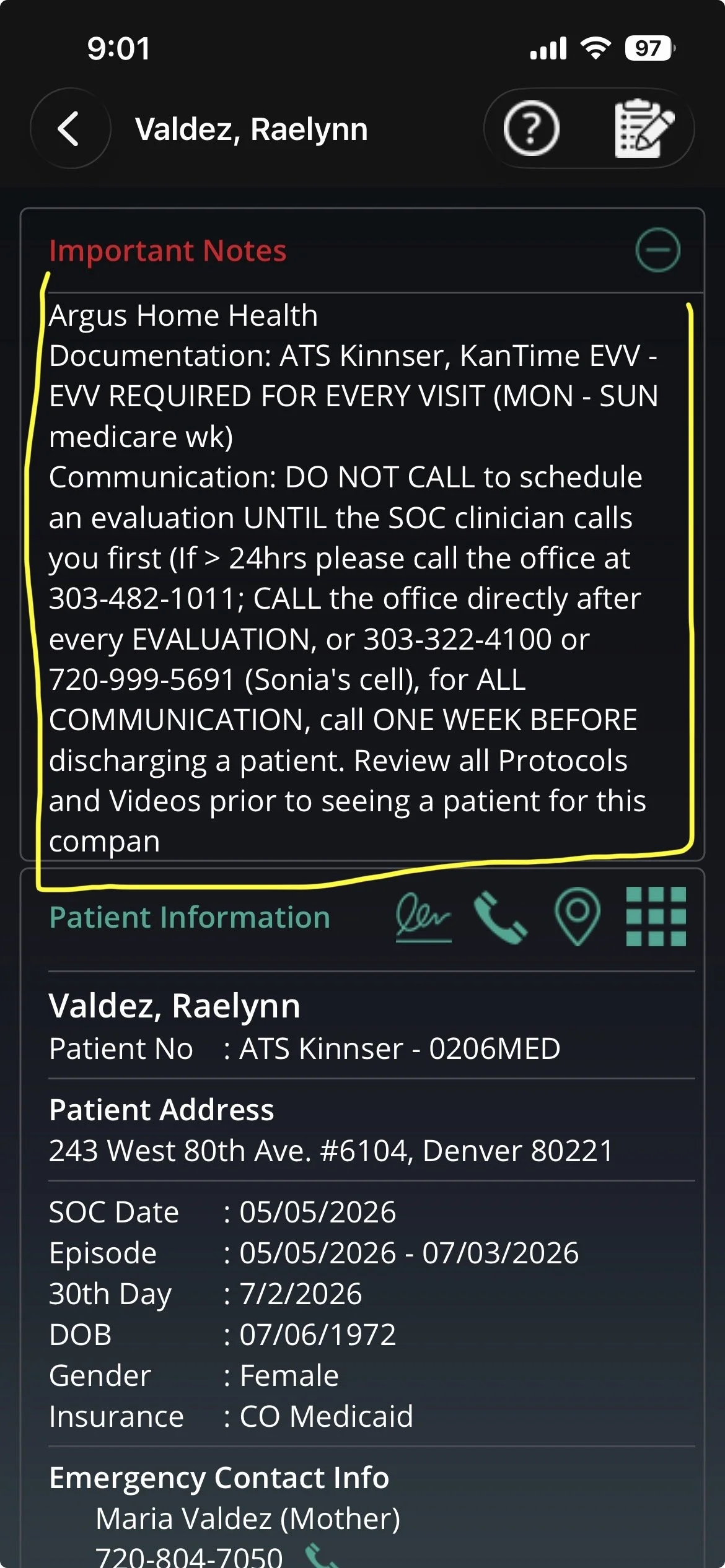
READ DETAILS TO LEARN MORE ABOUT AGENCY
7. Patient Profile Documents
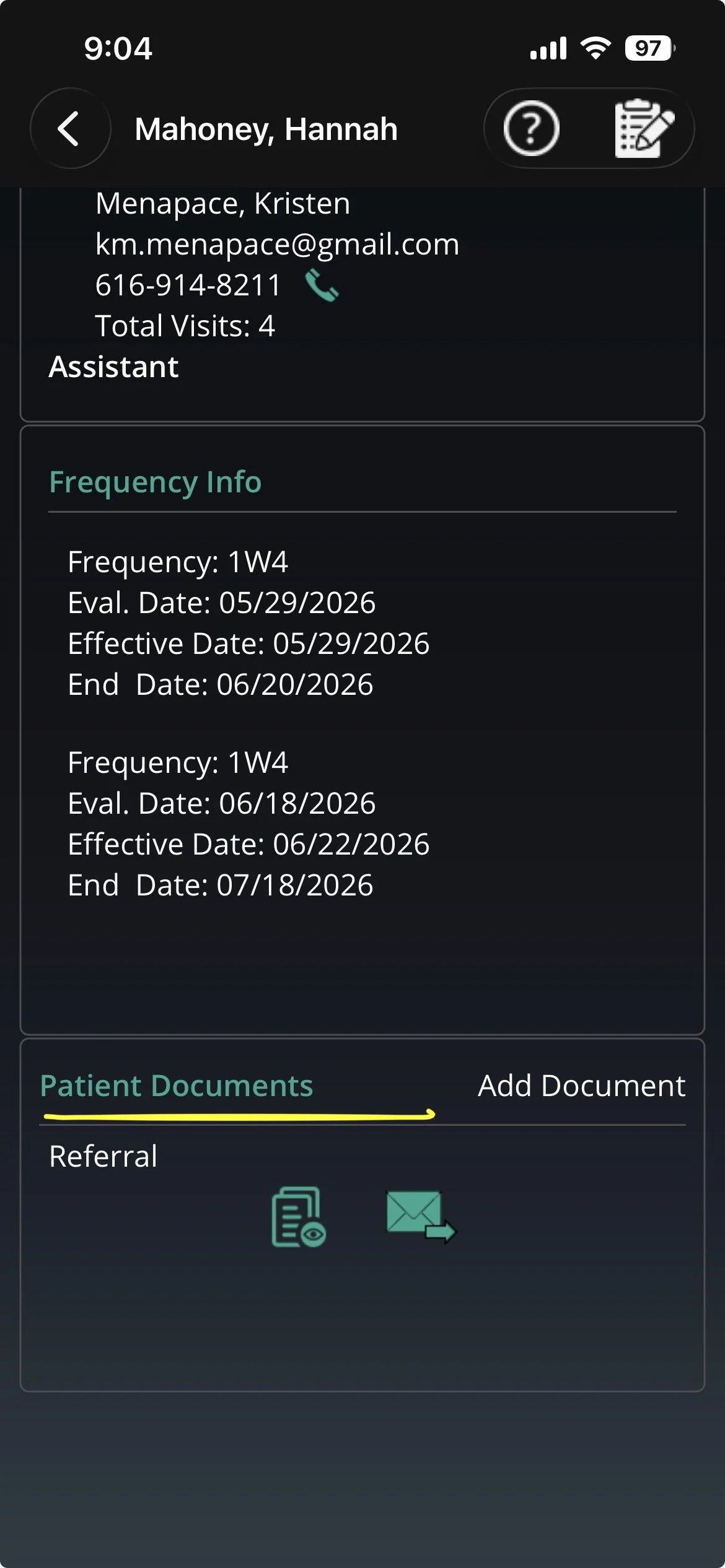
SCROLL TO THE BOTTOM OF A PATIENT’S CHART TO VIEW ATTACHED DOCUMENTS