SOLI Agency Referral Process
Login to the SOLI for agencies website, located at www.alpinetherapyservices.com under the customer tab -> SOLI agency login.
Your login information will be sent from the SOLI website consisting of an email address for the username and temporary password. If you are unable to login, please contact the Alpine Therapy Services office.
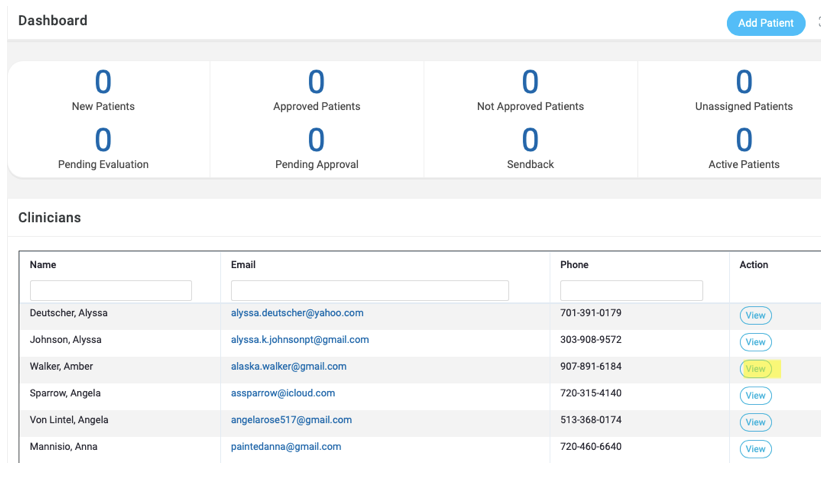
Below is the screen you should see after logging into SOLI for Agencies
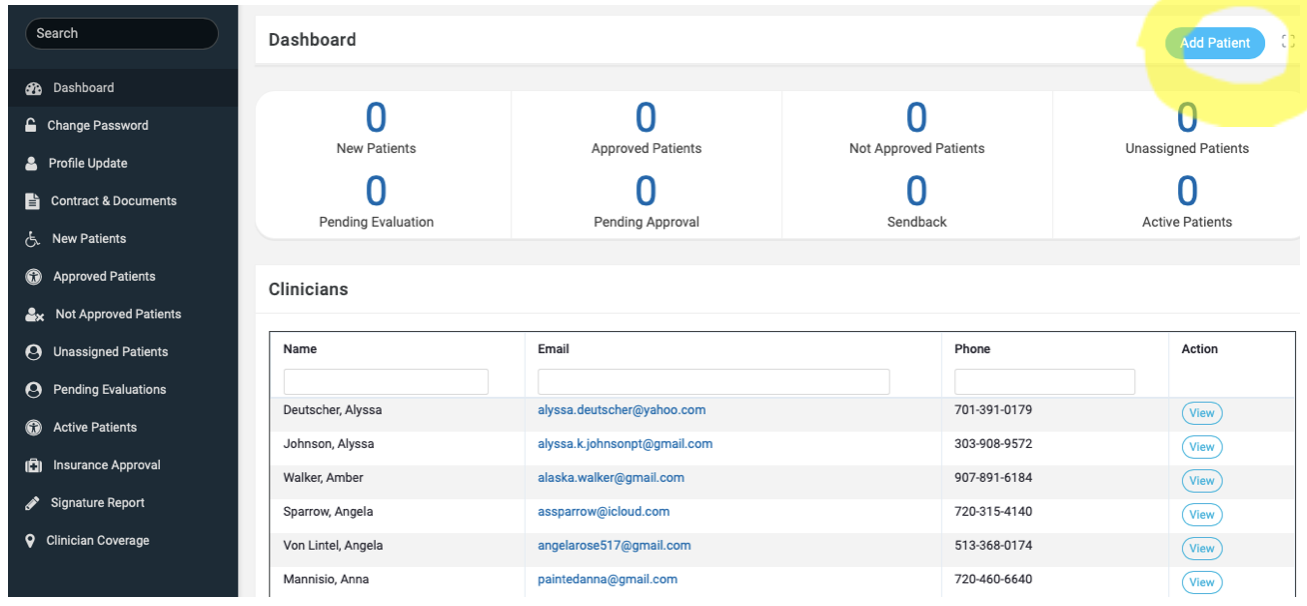
Click ‘Add Patient’ for new referral requests
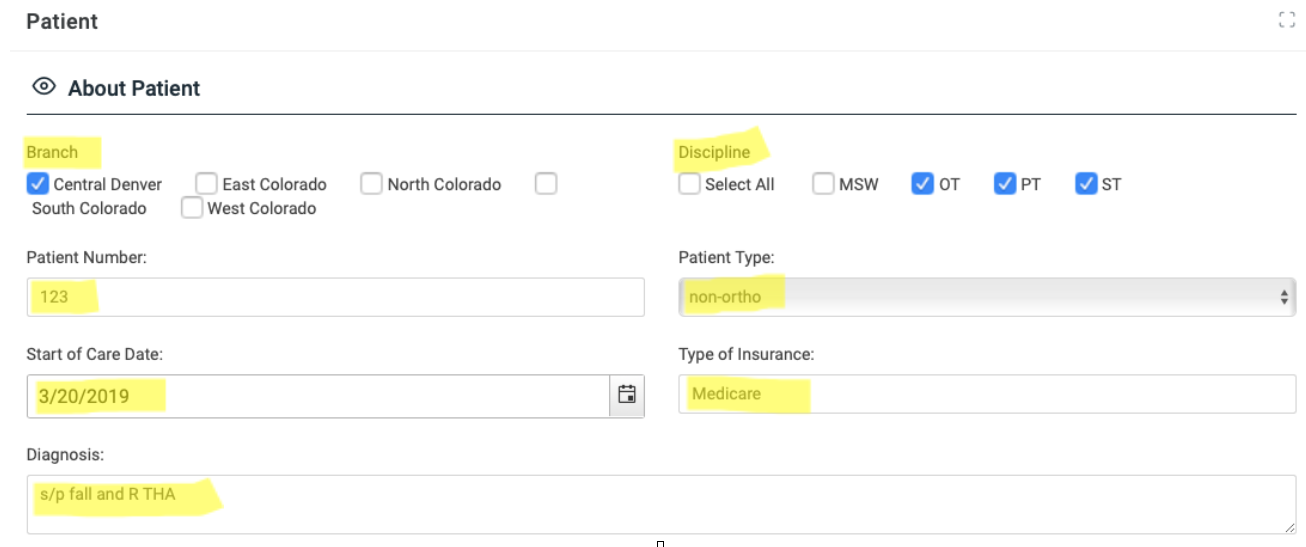
Below is the screen you will see
Please include the branch, the discipline you are wanting ATS to staff, the patient number can be medical record number or region (i.e. some companies use the patient number for the area code; company preference), Patient Type (ortho vs non-ortho for protocols), SOC date would be the actual date or the first 24hrs after receiving the referral, type of insurance (please specify if this is a managed care patient with limited number of authorized visits) and Diagnosis (in prep for SOC)
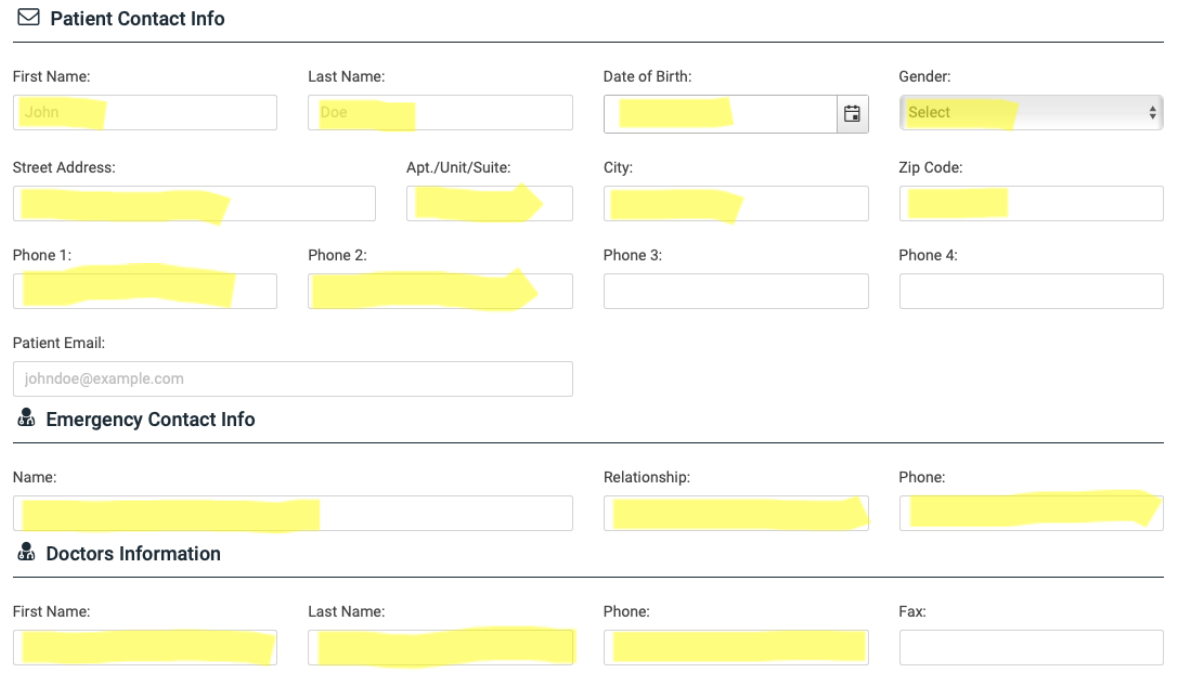
- Insert Patient Information – include as much information as possible with the MD that will be overseeing the HH episode (i.e. the F2F MD and for VO’s)
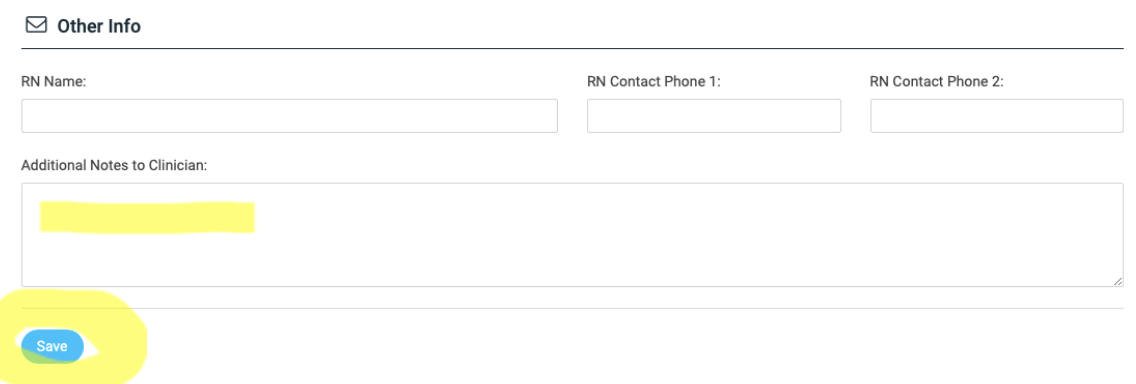
Other Information – Please include the RN name if applicable or the contact person in the office for communication purposes. Please make sure to include ‘additional notes to clinician’ – “PT SOC, ST SOC or PT eval, OT eval” and any other important communication details (i.e. “please contact daughter for scheduling, patient cannot sign consent forms, will require POA present”). Make sure to hit “save”.
Finally – you will receive an automated email from SOLI stating “Thank you for the referral, we will contact you to let you know if we can accommodate this patient within the next 24hrs or sooner. We appreciate the opportunity.”
Once the patient is approved by ATS, you will receive a follow up email stating – “Congratulations, we have approved your referral and are processing it now. Our clinicians will reach out to the patient shortly.”
If the patient is not approved by ATS, you will receive a follow up email stating – “Unfortunately, we are unable to accommodate this referral at this time.” (If this is ever the case, you will also be contacted by the Account Specialist or CEO for further information.
**THANKS SO MUCH FOR THE OPPORTUNITY!!!! PLEASE LET US KNOW IF YOU HAVE ANY QUESTIONS OR CONCERNS!!
OTHER SOLI TIPS & TRICKS
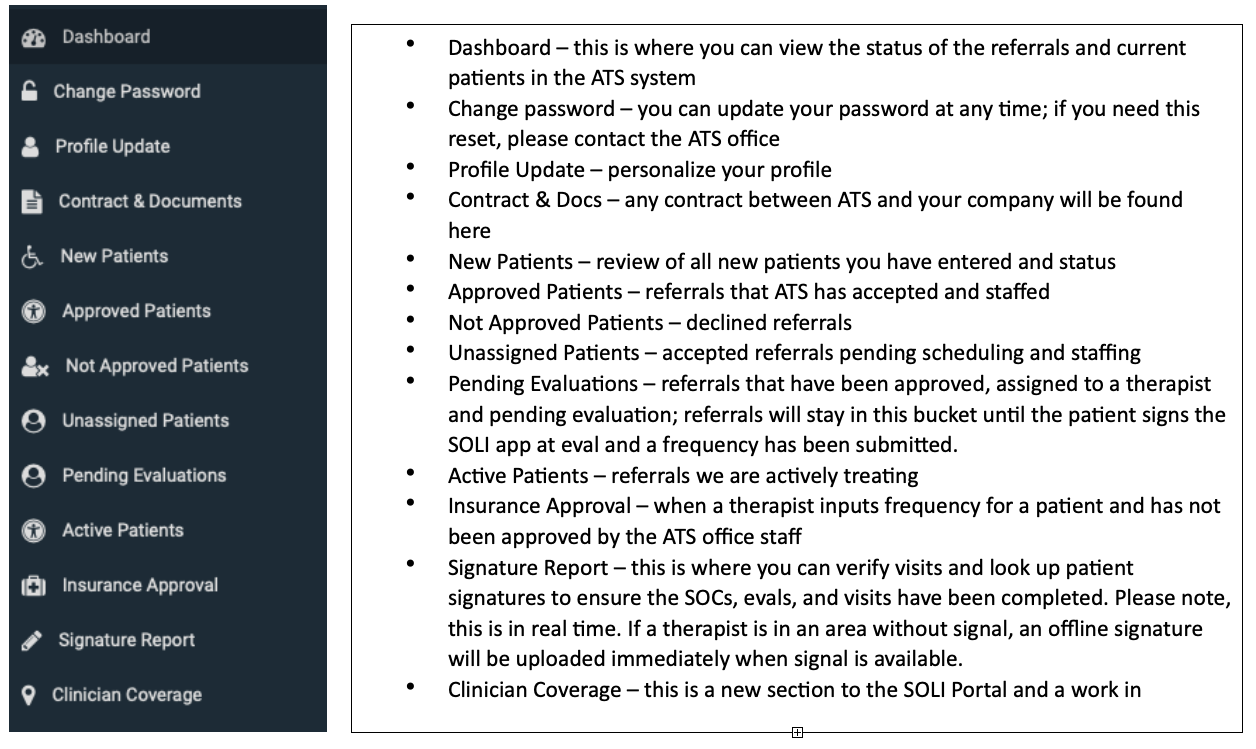
Understanding the Dashboard
The clinician list includes all active clinicians, including new clinicians working on their HR file. This consists of their contact information and all HR documentation. This will assist you during survey. Simply click on the clinician name to view their HR file.